Every few weeks someone tells me they already “checked the calculator.” Half the time they mean a Services Australia Age Pension estimate. The other half they mean ASIC’s MoneySmart retirement planner. Both tools answer real questions. Most people still walk away thinking they stress-tested a multi-decade plan.
A Services Australia estimate is about this fortnight’s entitlement on today’s assets and income. MoneySmart is an orientation planner: balances, spending targets, Age Pension under fixed return and inflation settings, with partner fields if you switch them on. A full Australian retirement model has to keep going after that first comfort number: watch means-testing as balances draw down, and ask whether the same household still holds when early markets are ugly. Related reading on why pension estimates differ and couples with different exit ages keeps circling the same problem from different angles.
What each tool is actually built for
A Services Australia estimator is a form check. Enter assets, income, homeowner status, and relationship status. Get a payment shape for now. That matters when you are about to claim, or when you need to know whether the income test or assets test is binding this year. Five years of drawdowns, a younger partner still earning, or a weak market early in retirement sit outside what the form was written to answer.
MoneySmart is built for orientation. You can include a partner, enter their age, salary, super, and a separate retirement age, and turn Age Pension on under Assumptions. The returns path is still a smooth assumption by option (balanced, growth, and so on), with fixed inflation and wage growth. For many people that is enough to decide whether a spending target is in the ballpark. Replaying 1969 or 2008, and watching Age Pension and deeming move as the household balance sheet changes over decades, is a different modelling job.
Confusing either tool with a full stress model is how people get a comforting number and a Centrelink surprise later.
The checklist: depth and dynamism
Filter any “Australian super retirement calculator,” including fund tools and paid planners, against the lines below. Partner inputs alone do not settle the question. Smooth average returns and a static pension paste are where simplified paths usually stop short.
1. Age Pension that updates as you draw. Assessable assets and deeming change over time. Couple rates and free areas are not twice the single figures. Pasting today’s pension into every future year is guessing.
2. Couples on one Centrelink base when that is the household. Two single runs stacked in a spreadsheet use the wrong thresholds. Wages on one partner can cut pension for the other. Both partners need to sit on one asset and income base; a partner field on the form is only the start.
3. Different exit ages treated as one cash-flow problem. Preservation age, Age Pension age, and employment cessation move independently. The years when only one person can access super are where mistakes hide. See the longer walkthrough on phased retirement for couples.
4. Minimum drawdowns by age. Account-based pensions have statutory floors that climb with age. Ignoring them flatters balances in later decades.
5. A bad-market path beside the average. Sequence of returns risk is the live planning problem. A smooth return line papers over early crashes. Replaying real historical starts asks something average-return projections never do.
6. Super access and Age Pension on the same calendar. Someone who retires at 60 still faces Age Pension age at 67. The gap years need their own funding story.
Miss two of those six and you can still get a tidy chart. You may not get a plan that matches how Centrelink and the ATO behave across a long retirement.
One honest caveat belongs here. SuperCalc Pro is a paid product. ASIC MoneySmart is an independent public tool with no commercial reason to make itself look thin. If a for-profit model criticises free regulator tools, readers should put more weight on methodology, not less: which assumptions are disclosed, whether historical sequences are real market years, and whether Age Pension moves with the balance sheet. Treat this checklist as a way to mark any tool’s homework, including ours.
Run a full Australian retirement model
Opens Advanced with a couple scenario starting in a hard historical year (1969): Age Pension that tracks the household, both supers, and a stress path. Compare that to a Centrelink fortnight estimate or a MoneySmart smooth-return run.
Open the full model →Today’s entitlement only: Age Pension asset test calculator · accuracy case: why pension estimates differ
Where the free public tools still earn their keep
Centrelink or Services Australia is the right first stop for entitlement shape on a claim, a change of circumstances, or a check against current free areas. The free Age Pension asset test calculator on this site is the same job: today’s rules, today’s inputs.
MoneySmart earns its place as a public-interest first pass on spending targets and a partner-aware balance path under transparent assumptions. ASIC built it for that. Read the output as orientation under smooth returns. It will not prove the household survives a bad sequence of markets.
The failure mode is treating either answer as “we ran the Australian retirement calculator” and stopping.
A concrete mismatch people keep running into
Take a homeowner couple near pension age with combined assessable assets sitting near the couple free area, one partner already drawing, the other still earning. A Centrelink estimate tonight might look fine. Shift the younger partner’s wage, or draw down in a weak market for five years, and the binding test can flip. Year seven’s Age Pension can look nothing like the fortnight you calculated on day one.
Fund calculators that assume constant returns make the same mistake from another angle. They show a smooth balance path and a smooth income line. Historical Australian returns bounce. The years that matter most for sequence of returns risk are the first ones after you stop wages. If the model never replays those years, households never get an answer to whether the plan holds up.
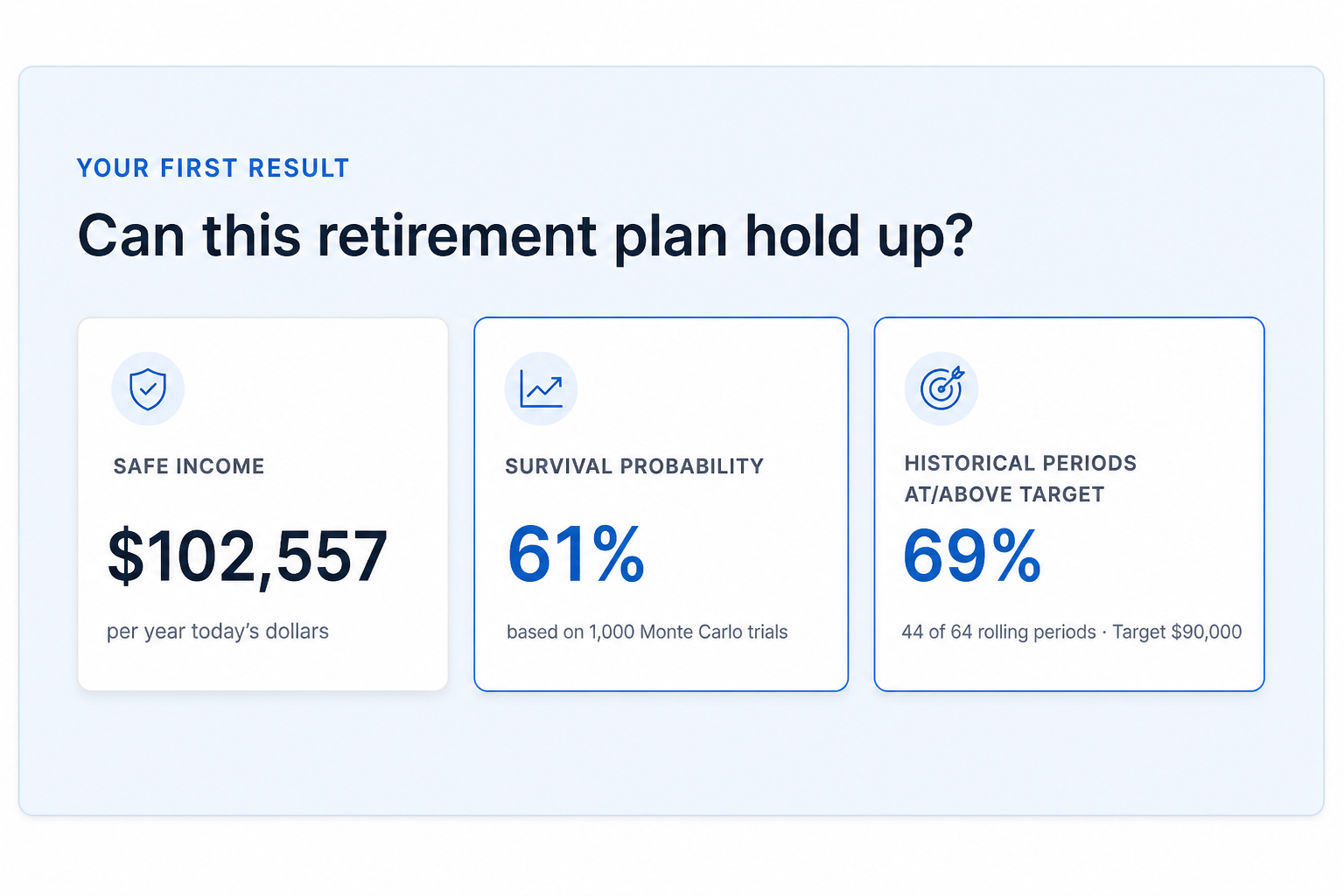
Advanced Retirement: household path with historical stress, beside a Centrelink fortnight estimate for comparison.
A practical order of work
If Age Pension is material, start with the entitlement check. Confirm rates against current Services Australia figures and the super and Age Pension rates hub. Then put the same household into a multi-year model with both partners, both exit ages, and at least one poor historical start. Compare the year the older partner retires with the year the younger partner stops. Look at household income in the gap years ahead of the final plateau.
Free Advanced runs come first. No card required to try the scenario. If you want unlimited runs, historical stress tests, and PDF exports after that, Advanced Retirement is $149 a year, or $14.99 a month if you would rather not commit upfront.
Official sources
What it costs to keep modelling
Run the 1969 couple stress scenario free first. Unlimited runs, historical paths, and PDF exports are $149 a year, or $14.99 a month if you’d rather not commit upfront, typically less than one hour of paid advice for the same multi-decade interaction work.
Open the full model →No card required to try it. Subscribe only if the full model is useful enough to keep using.
General information only. This article is educational and does not consider your objectives, financial situation, or needs. It does not recommend that you open, close, or change any super fund or product. SuperCalc Pro Pty Ltd does not hold an Australian Financial Services Licence (AFSL). Age Pension rates, deeming, and contribution rules change. Consider licensed financial advice, and confirm current rules with Services Australia and the ATO, before making retirement decisions.